Workflows
Evalm8's workflows take you from raw traces to refined, human-aligned judges.
Overview
The workflow cycle:
Raw traces → Raw dataset → Smoke-test evaluation → Golden dataset (human annotation) → Judge refinement
If your seed judges are good enough out of the box, you can skip the golden dataset and refinement steps and go straight to using the eval.
Creating a Rubric
In Evaluation → Rubrics, define your dimensions, scales, and pass threshold.
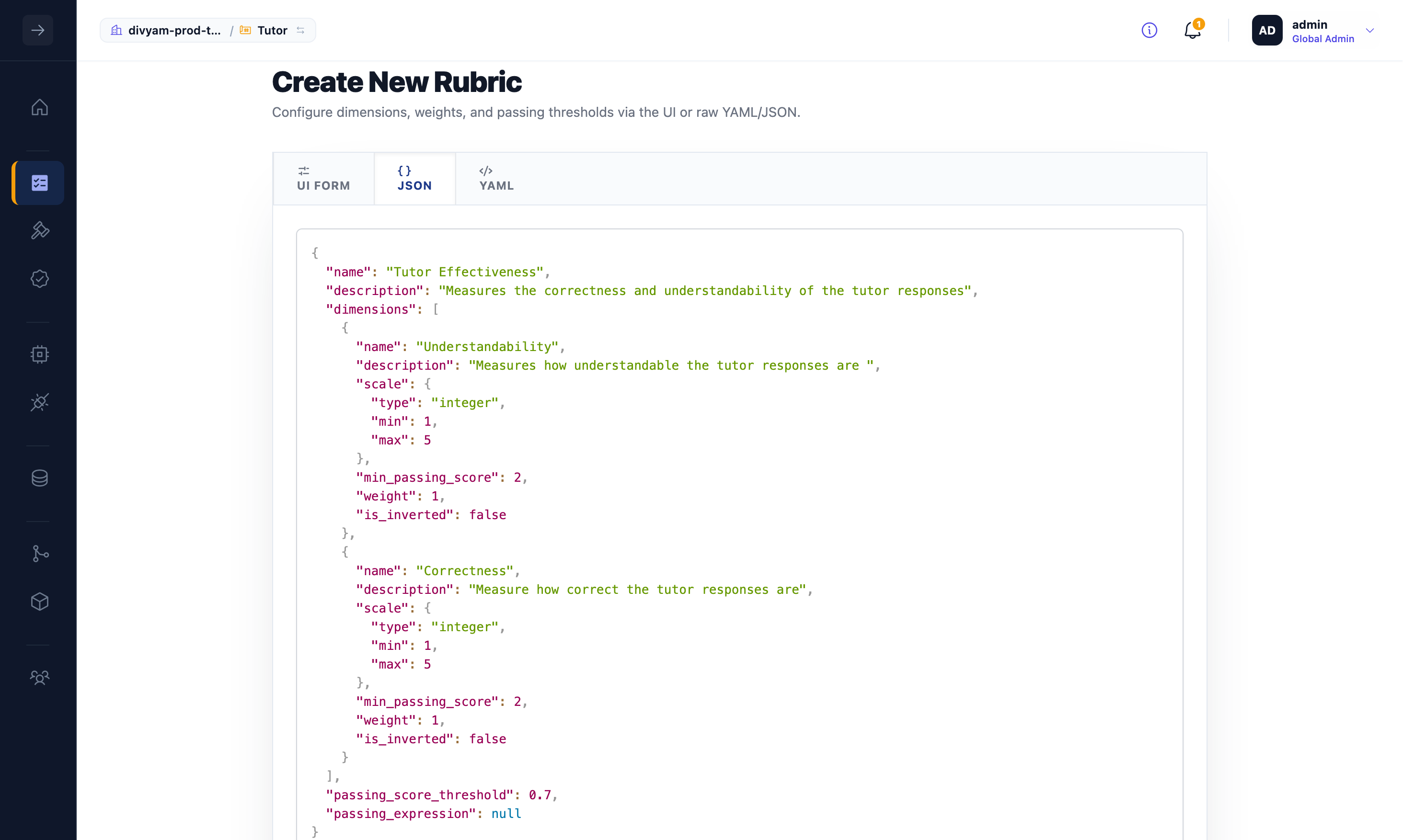
Each dimension needs a name, description, scale (integer, continuous, or binary with minimum and maximum), a passing threshold, and a weight. See Core Concepts: Rubrics and Dimensions for details on how these interact.
Example: Tutor rubric (JSON)
{
  "name": "Tutor Effectiveness",
  "description": "Correctness and understandability of tutor responses",
  "dimensions": [
    {
      "name": "Understandability",
      "description": "Understandability of tutor responses",
      "scale": { "type": "integer", "min": 1, "max": 5 },
      "min_passing_score": 2,
      "weight": 1,
      "is_inverted": false
    },
    {
      "name": "Correctness",
      "description": "Correctness of tutor responses",
      "scale": { "type": "integer", "min": 1, "max": 5 },
      "min_passing_score": 2,
      "weight": 1,
      "is_inverted": false
    }
  ],
  "passing_score_threshold": 0.7
}
Creating Judges
Create one judge per dimension under Evaluation → Judges. See Creating Judges for the full guide.
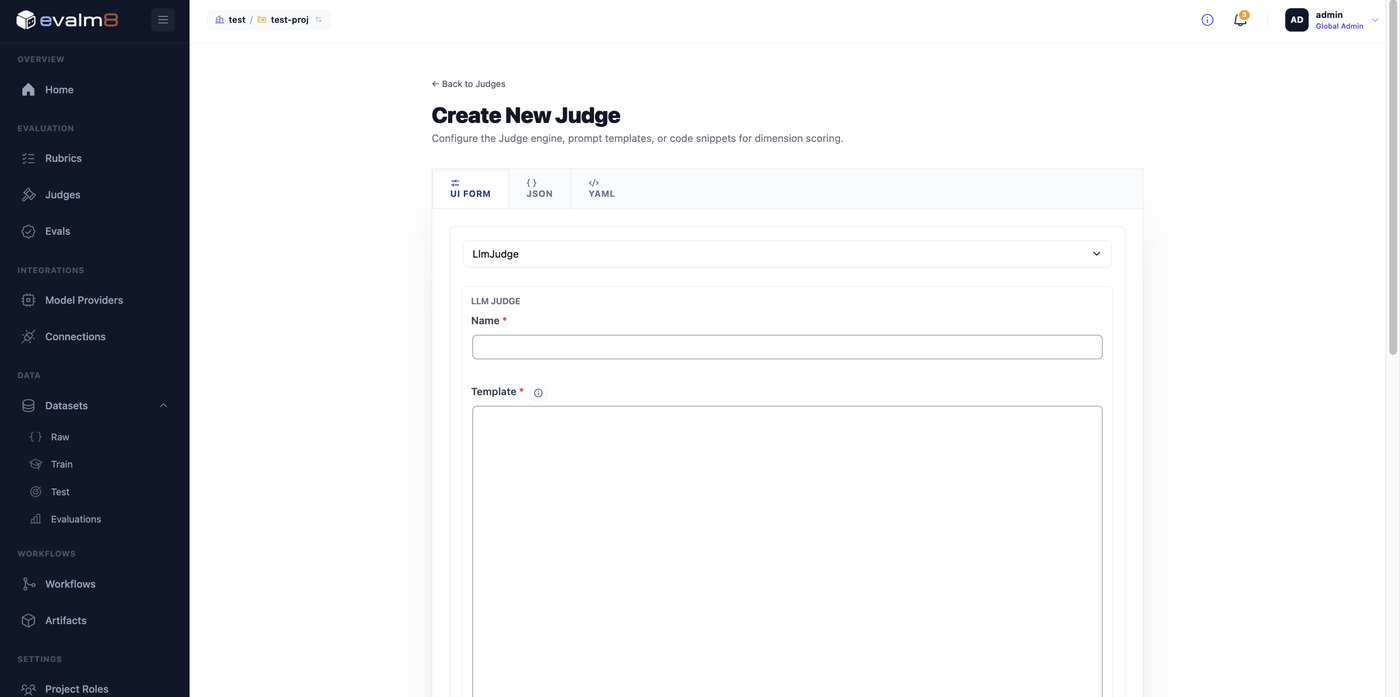
Use bespoke for a fixed prompt or deterministic judge. Use fine_tuned if you plan to refine the judge with human annotations. Only fine_tuned judges participate in the refinement workflow.
Creating an Eval
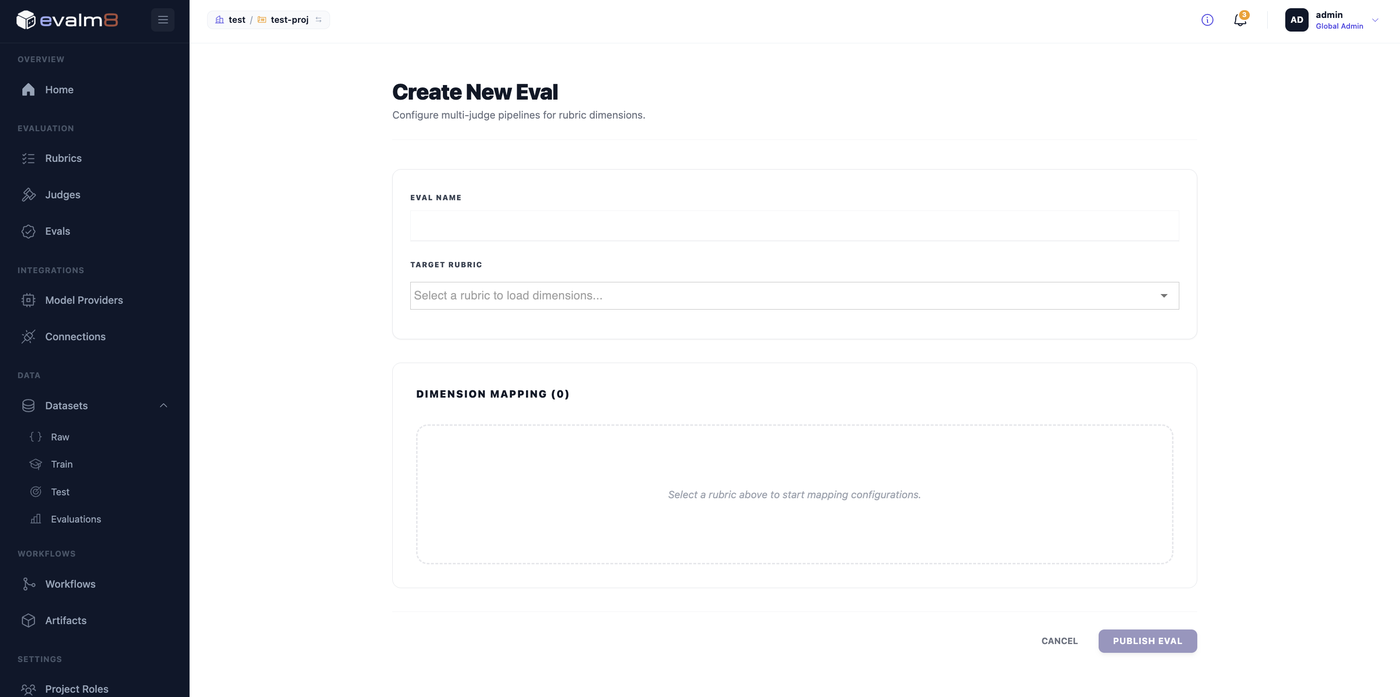
Open Evaluation → Evals, select your rubric, then configure a judge binding for each dimension. See Building Evals for bindings, pipelines, and configuration.
Raw Dataset
Use the Create Raw Dataset workflow to pull traces into Evalm8 from a connected source.
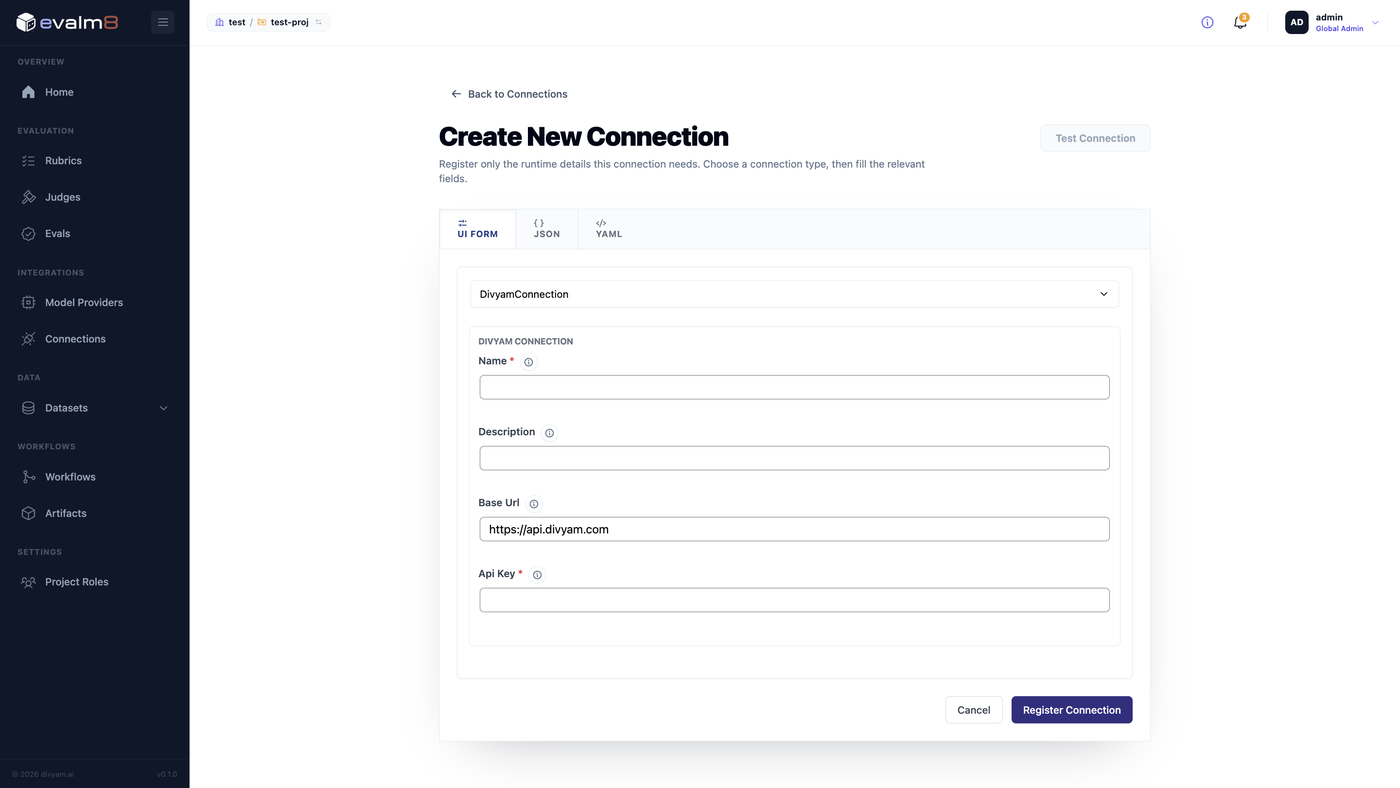
Setting Up a Connection
Go to Integrations → Connections → Create New Connection. Select the connection type, enter the endpoint and credentials, test, and register.
Running the Workflow
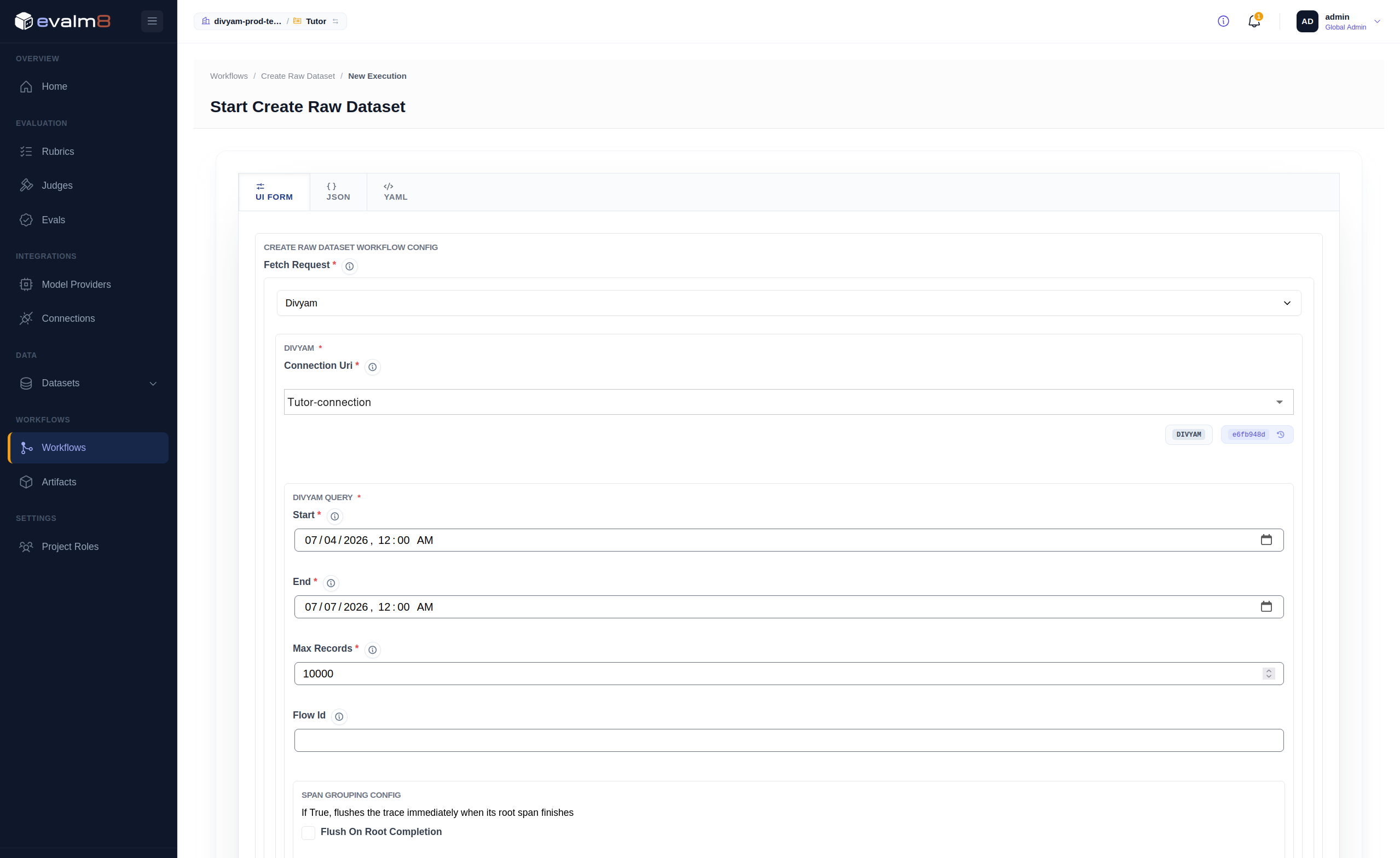
Open Workflows → Create Raw Dataset, select the connection, and run.
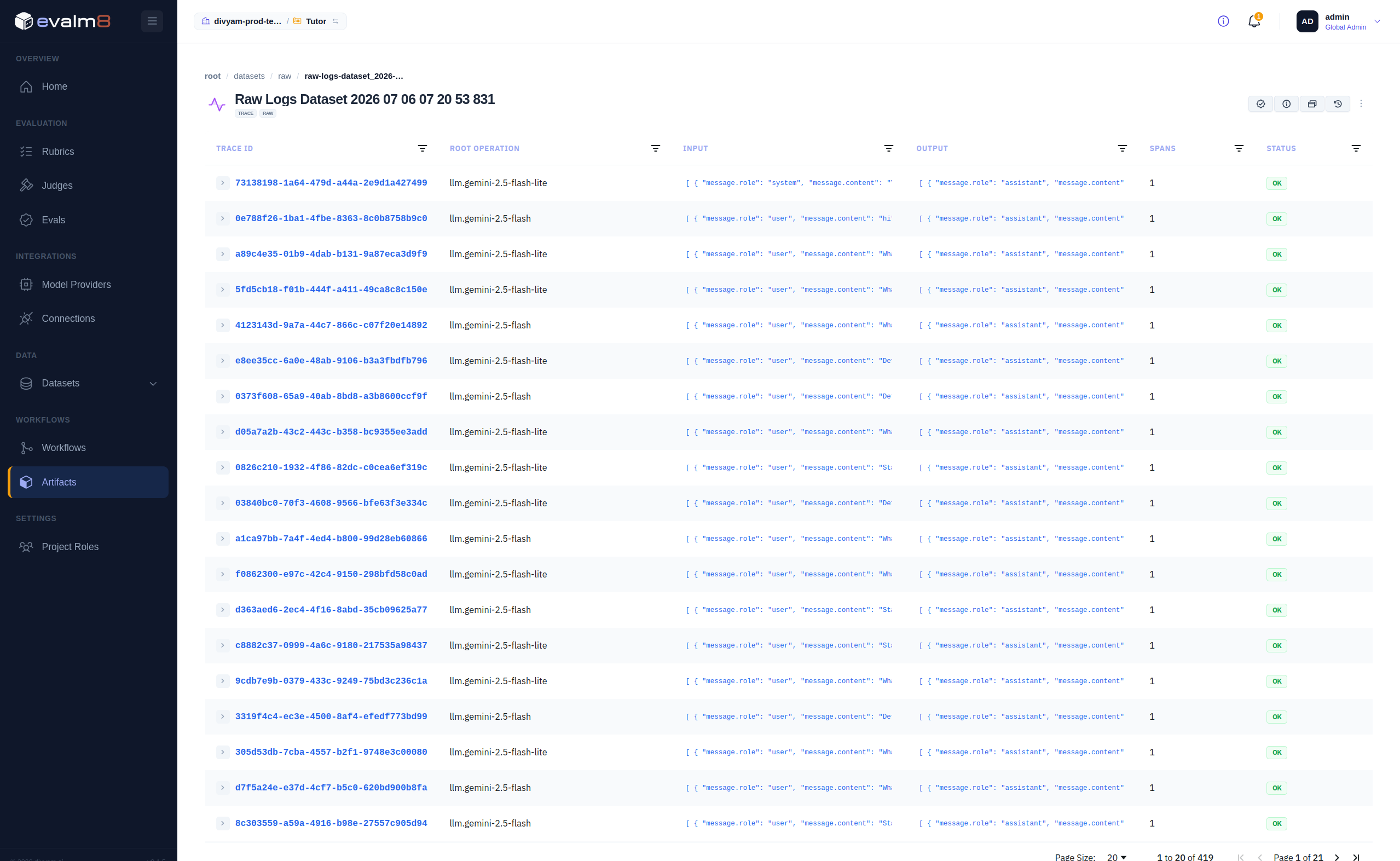
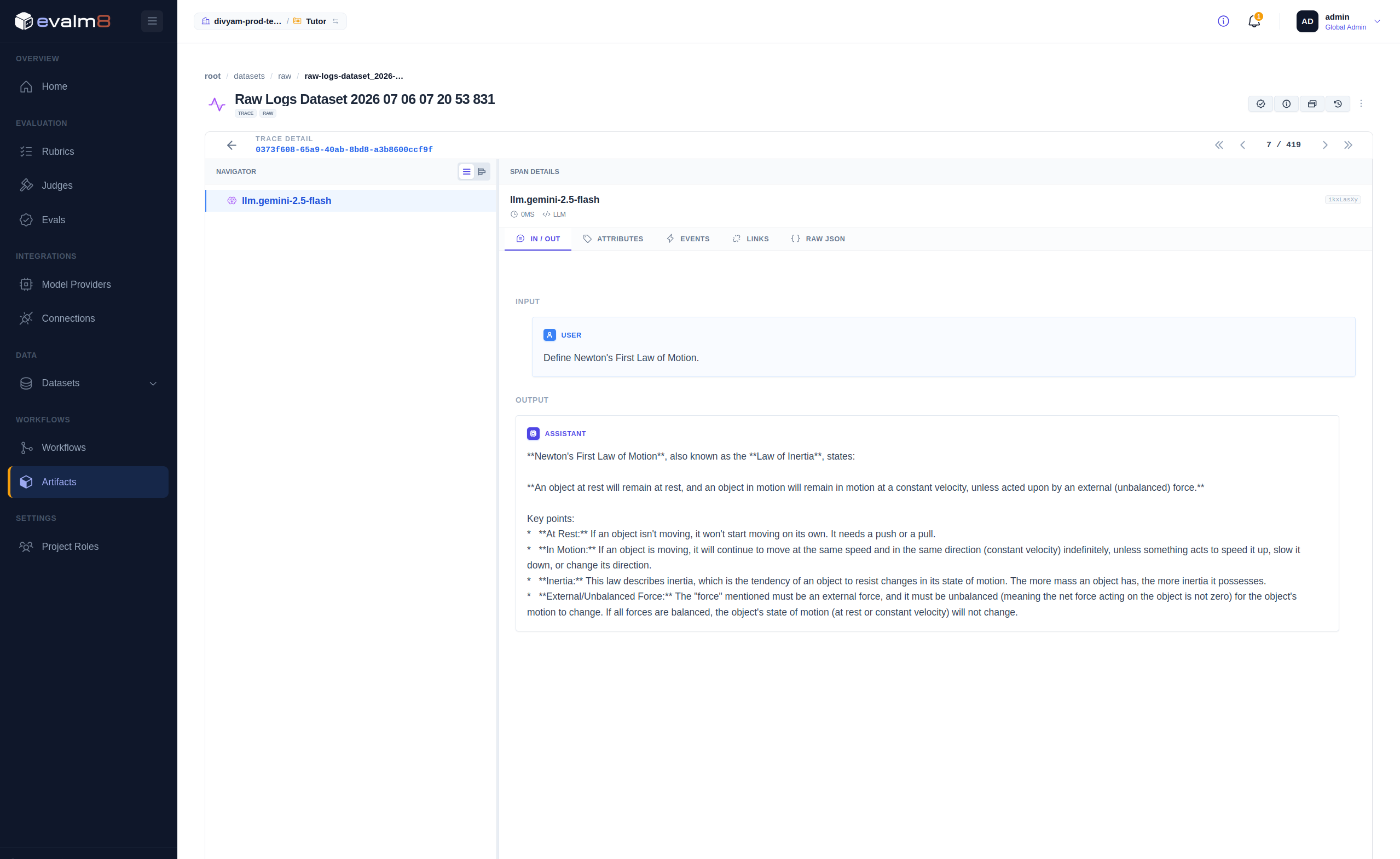
On completion, the dataset appears under Datasets → Raw.
Smoke-Test Evaluation
Before investing in human annotation, run a baseline evaluation on the raw dataset to see how your seed judges perform.
In Workflows → Evaluate Dataset, select your eval and raw dataset, then run.
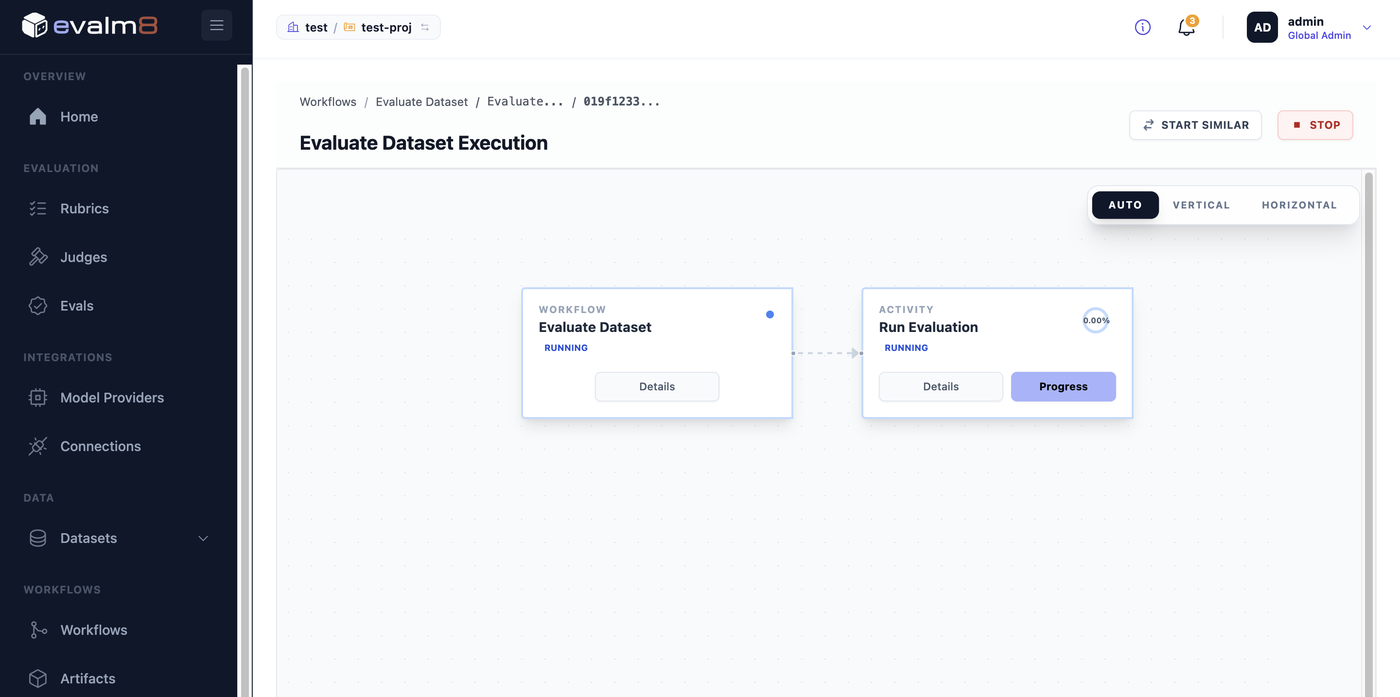
Results appear in the Evaluations tab with per-trace scores and judge reasoning.
The most common cause of all-zero scores is a failing pipeline guard. Confirm that llm.input_messages and llm.output_messages exist in your spans.
Golden Dataset
The golden dataset captures the human judgments that your judges learn from during refinement.
Creating the Golden Dataset
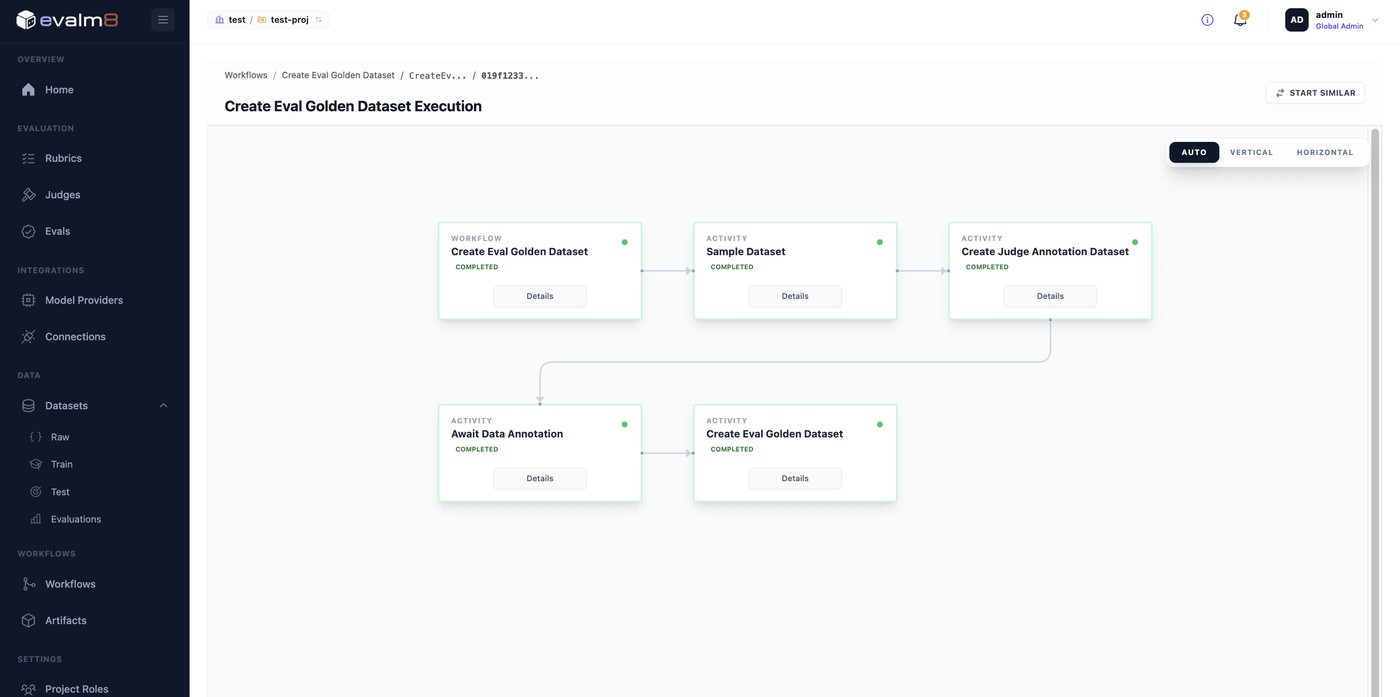
Go to Workflows → Create Eval Golden Dataset. Select the eval and raw dataset, then run. The workflow samples traces, creates an annotation task, and pauses at Await Data Annotation for human reviewers.
Annotating
Each annotation record shows the query, response, and the judge's pre-scored suggestion as a starting point. Review the content, enter your own score and reasoning, then Submit.
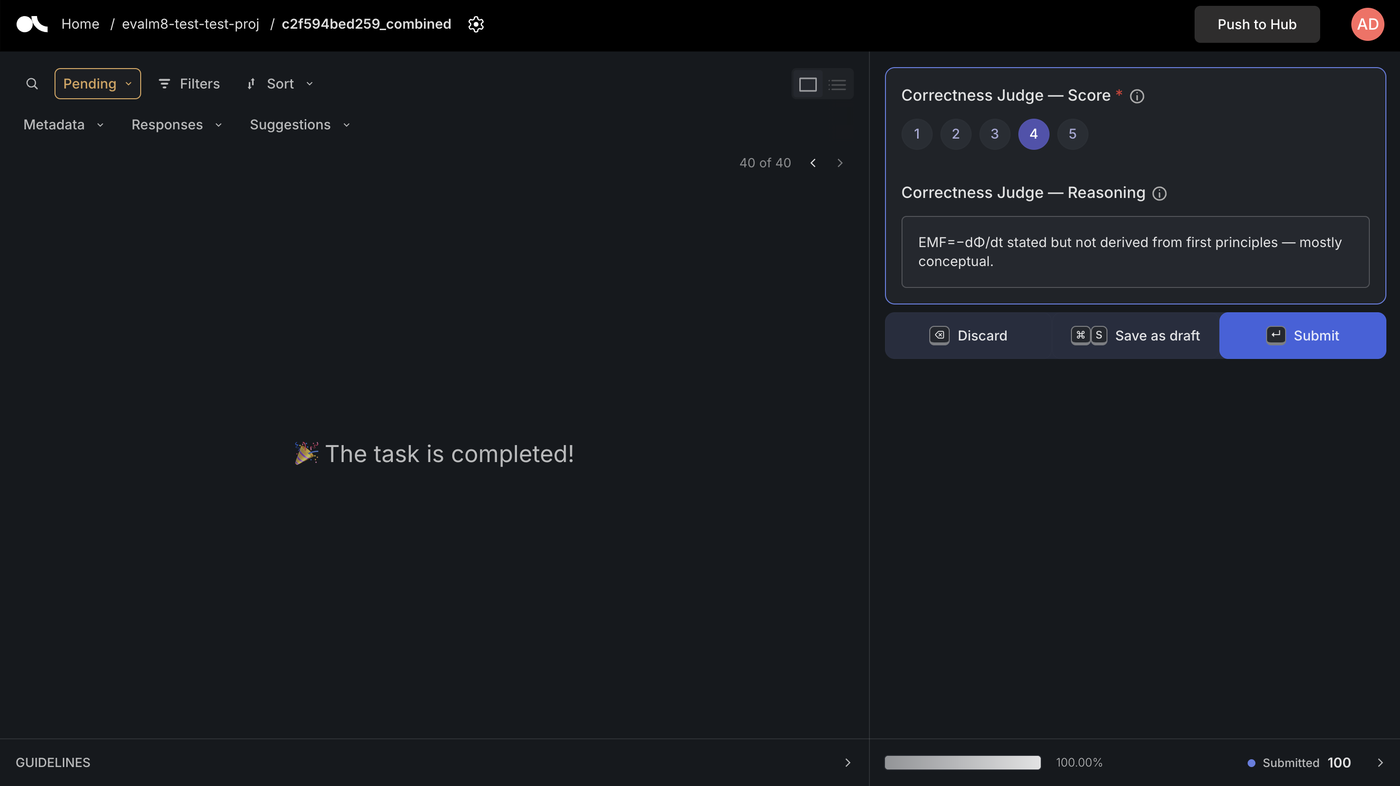
Records must be Submitted in the annotation interface. Drafts do not advance the workflow, and the annotation count stays stuck until you submit the records.
Evalm8 splits submitted labels into train and test sets for the refinement workflow.
Refine Eval
The refinement workflow improves judges to better align with human annotations.
From Workflows → Refine Eval, select the eval and golden dataset, configure refinement parameters, then run.
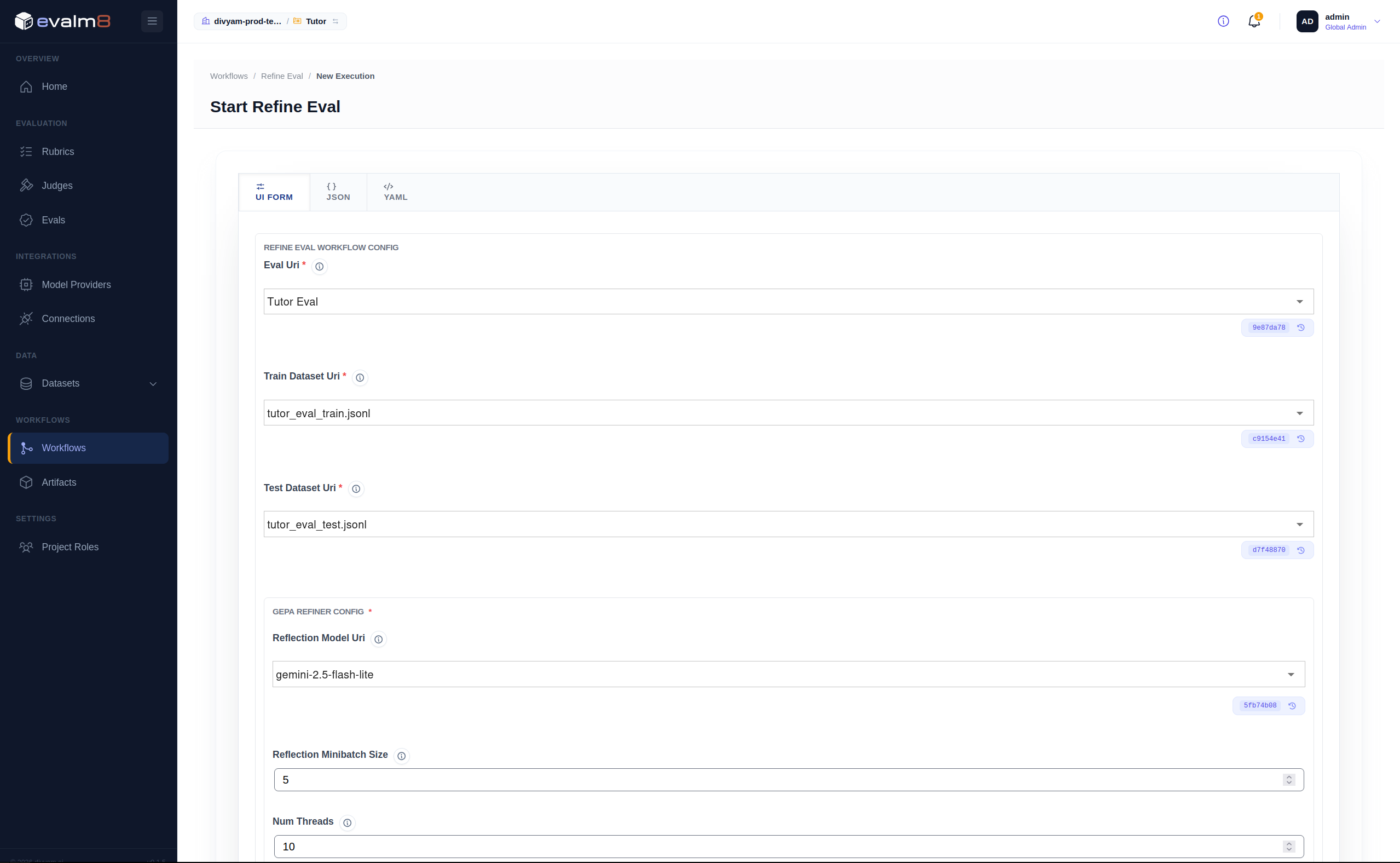
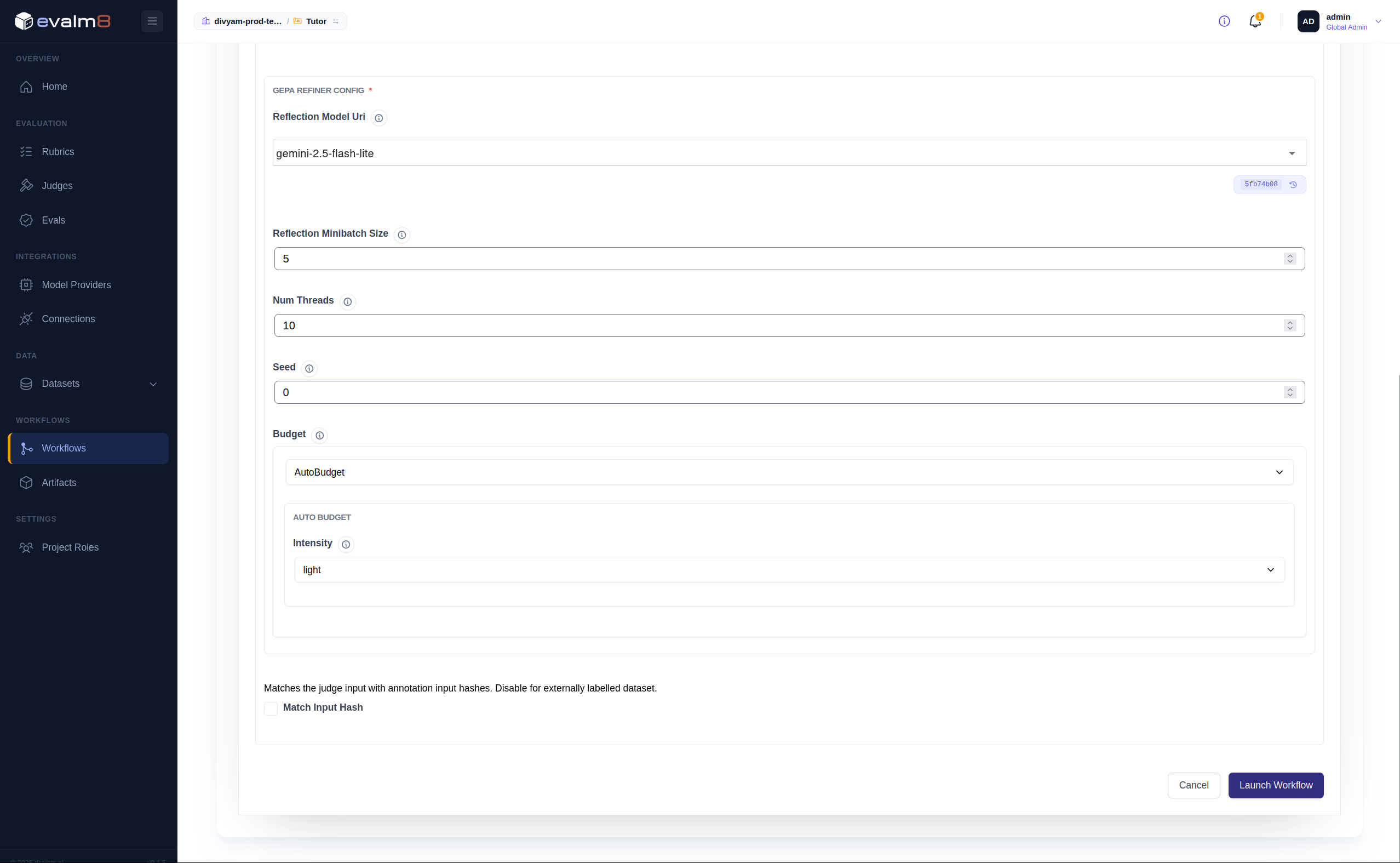
The workflow takes time to complete. When it finishes, review the performance metrics comparing the original and refined judges.
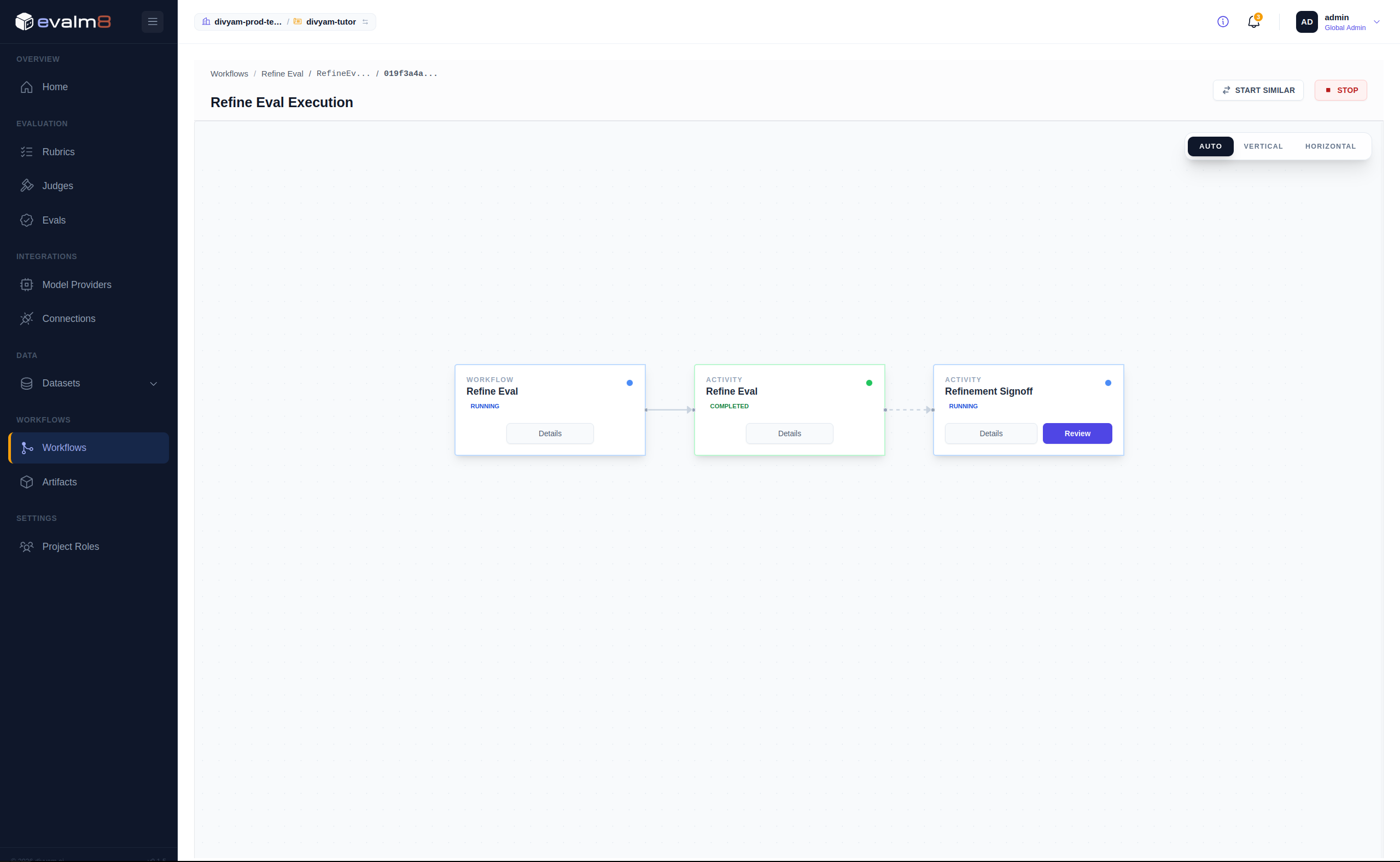
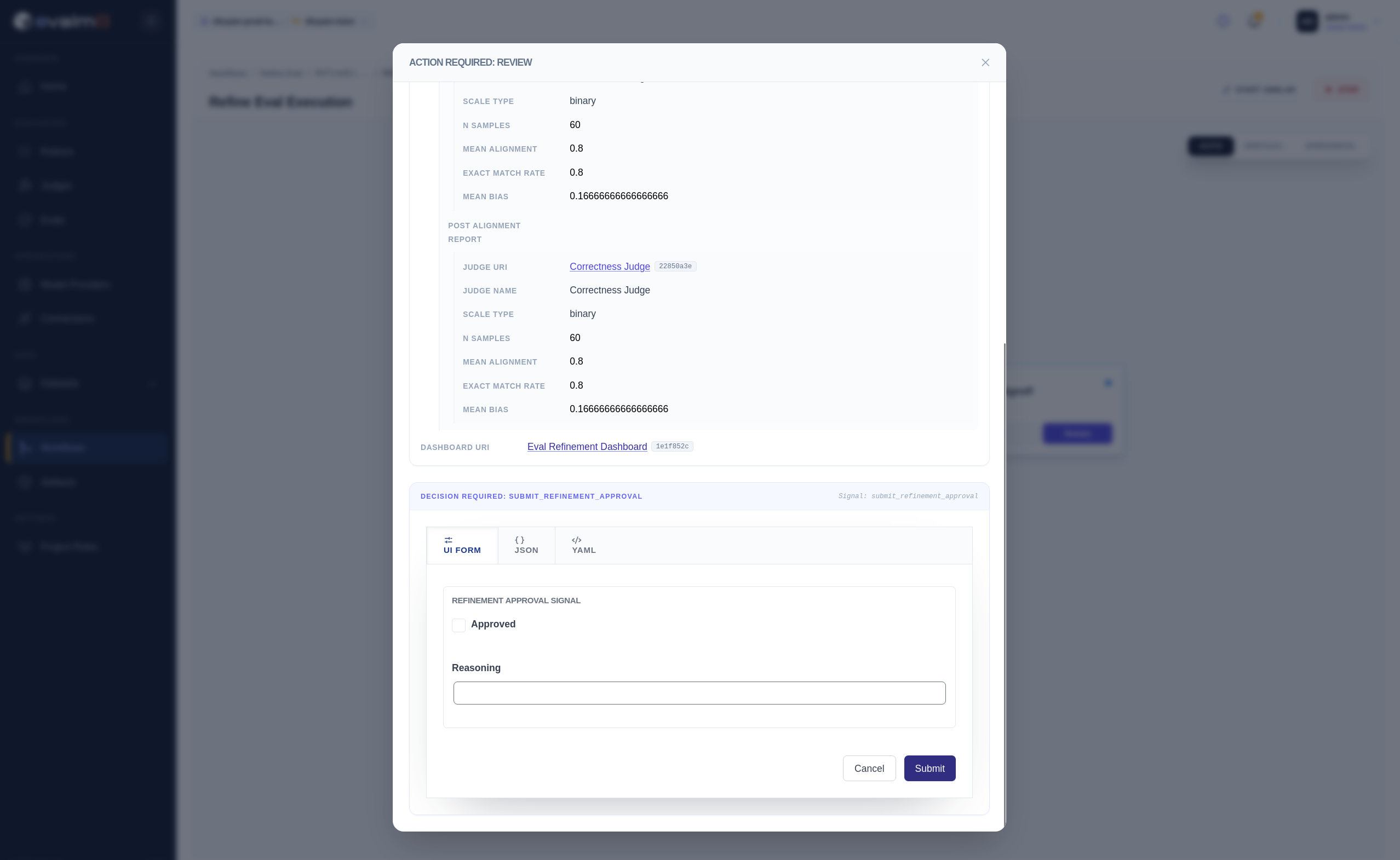
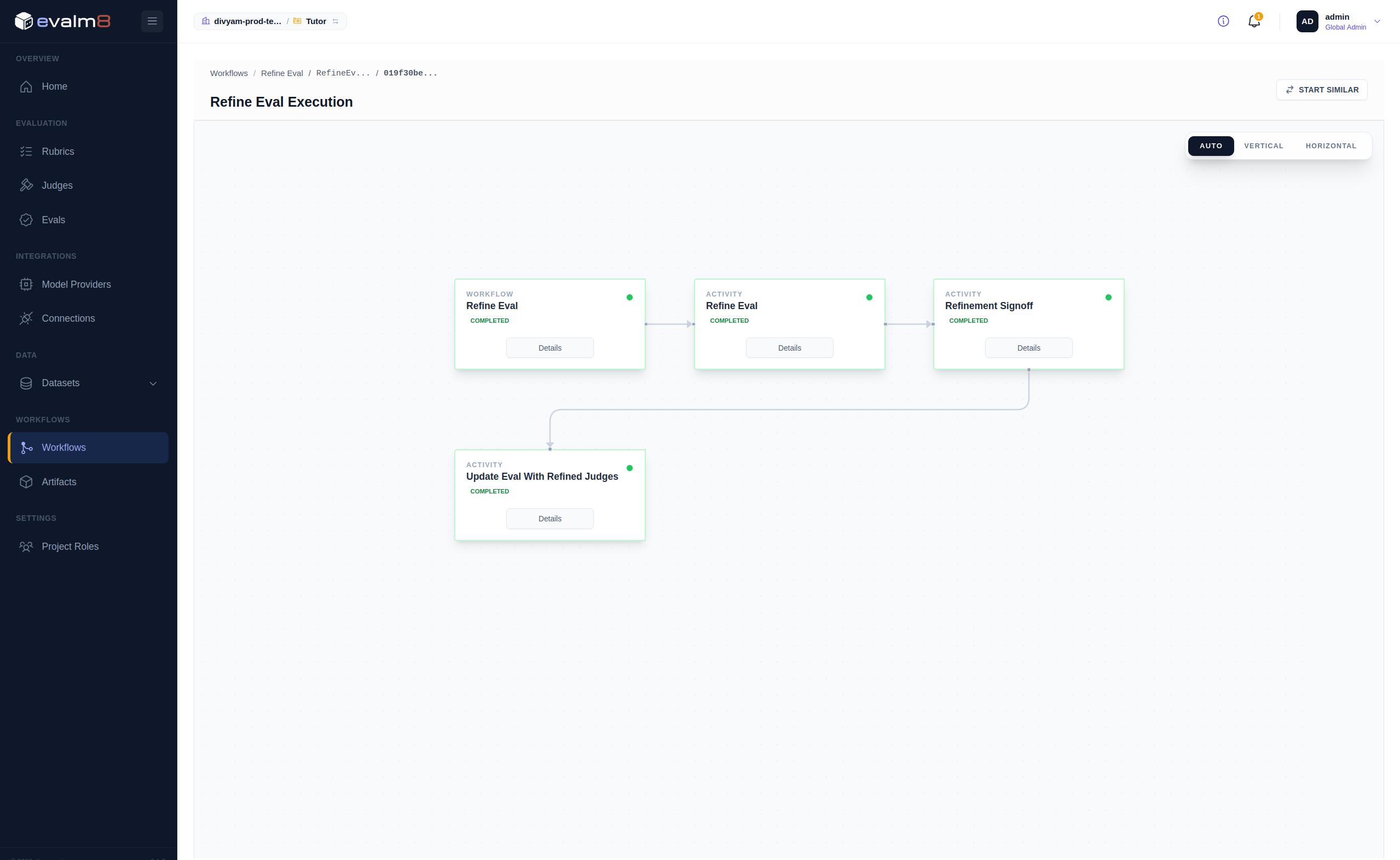
If the improvement is sufficient, approve the refined eval and judges. The refined eval replaces the current version.
Version Control and Lineage
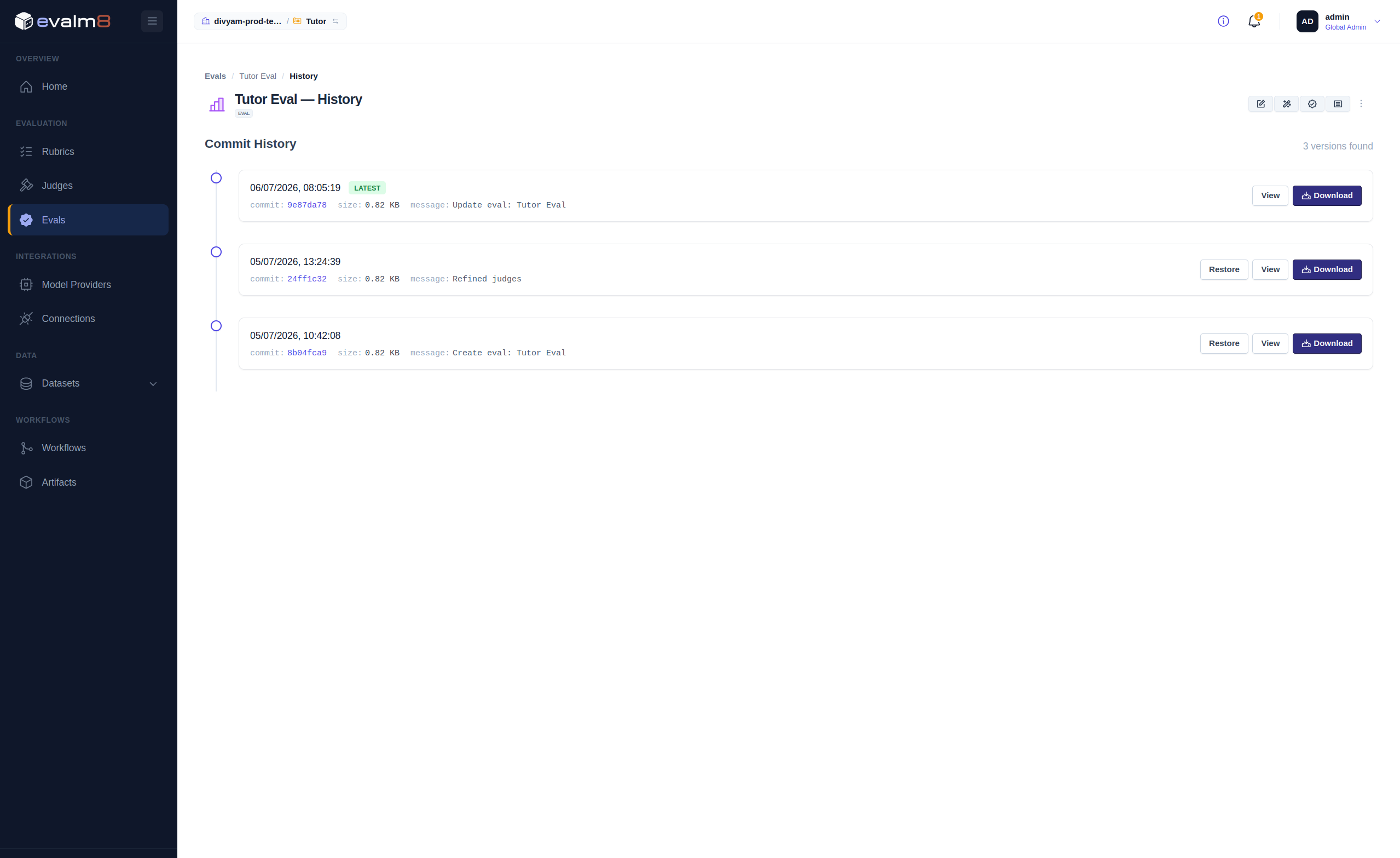
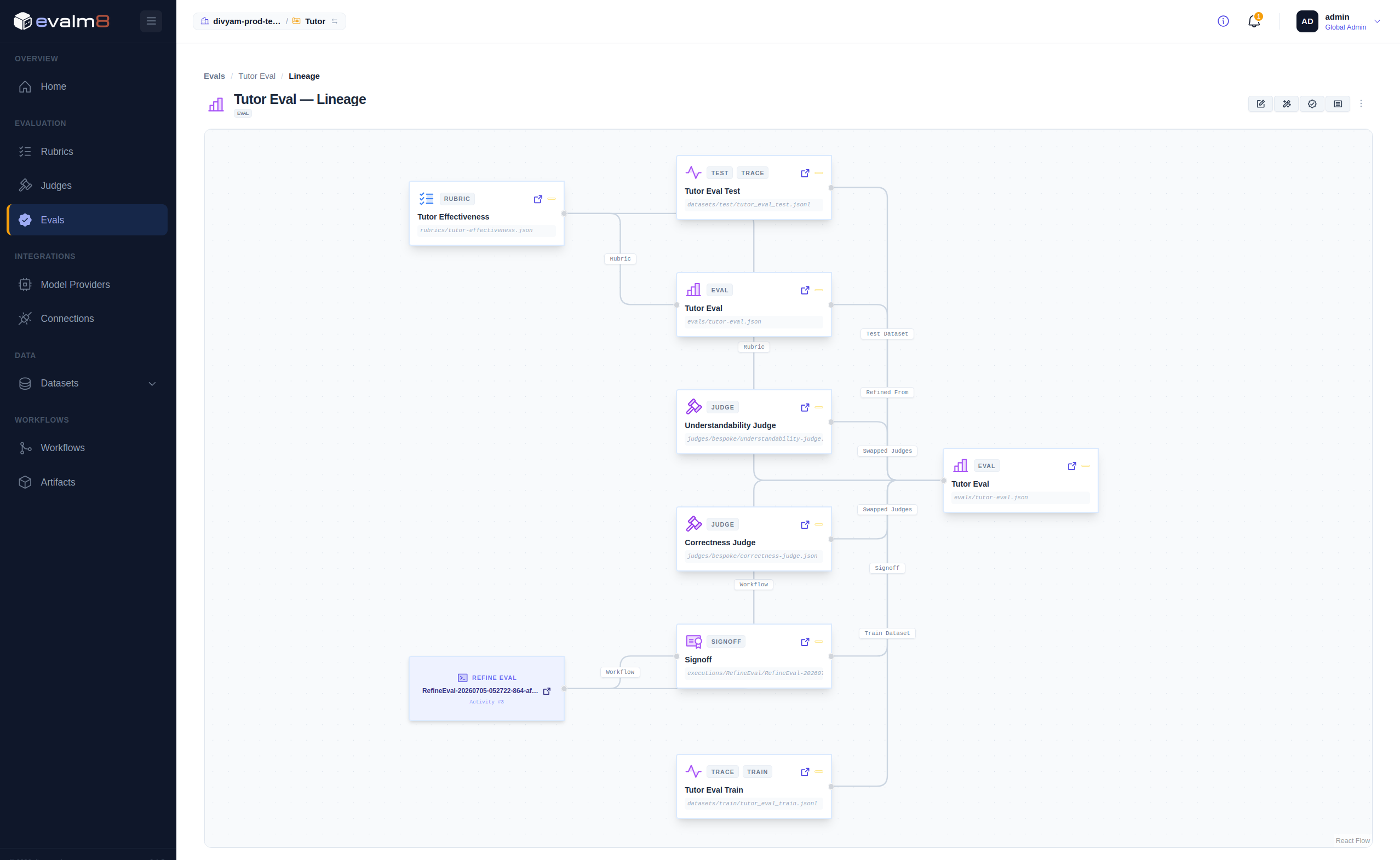
Evalm8 keeps the previous eval and all associated objects under version control, and tracks object lineage for provenance. You can inspect or restore any prior version.
Iterating
Each refinement cycle tightens alignment between automated scores and human judgment. Repeat refinement as you gather more traffic and annotations:
- Pull new traces into a raw dataset.
- Run evaluation to score them.
- Sample into a new golden dataset and annotate.
- Refine again.
Troubleshooting
| Symptom | Fix |
|---|---|
| All traces score 0.00 | Pipeline guard is failing. Confirm llm.input_messages and llm.output_messages exist in spans. |
JudgeNotFound error | judge_id in the pipeline must equal the judge slug (e.g. correctness-judge, not correctness). |
| Annotation count stuck | Records must be Submitted, not saved as draft. |
No trainable LLM judges found on Refine | Use fine_tuned origin judges and ensure golden splits exist with submitted annotations. |
| Score mismatch between UI and raw | The UI shows normalised [0, 1] scores. A raw integer 3 on a 1–5 scale displays as 0.50. |
Next steps
| Guide | Covers |
|---|---|
| Core Concepts | Traces, Rubrics, Dimensions, and the evaluation flow |
| Creating Judges | Defining LLM and deterministic judges |
| Authoring Pipelines | Pipeline steps and composition patterns |
| Building Evals | Judge bindings, configuration, and the default pipeline |